Powerful Features for Modern Testing
Everything you need to manage your testing process efficiently
and deliver quality software faster.
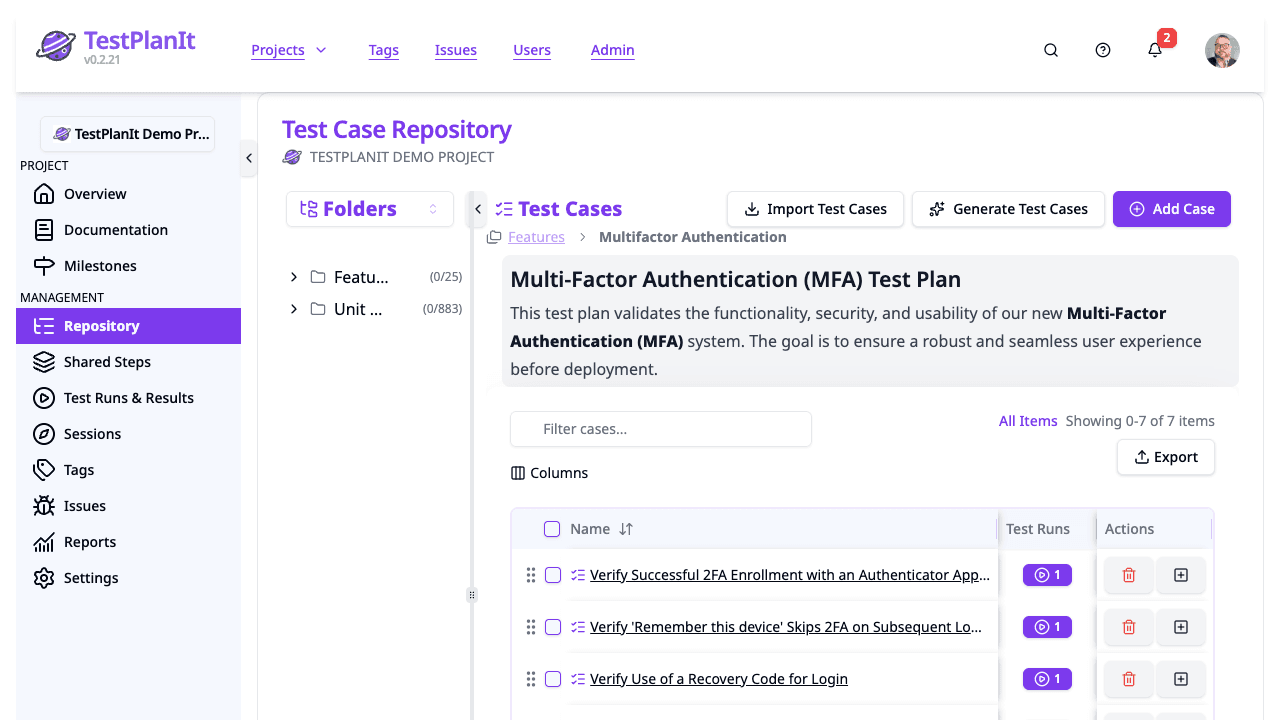
Test Case Management
Create, organize, and maintain test cases with a flexible structure. Support for test suites, folders, and custom fields.
- Hierarchical test organization
- Saved views: stack filters across templates, states, tags, issues, and custom fields, then return to them in one click
- Custom fields and templates
- Rich text editing with tables, code blocks, and images
- Shared steps for reusable test sequences
- Attachments, screenshots, and external links (attach URLs, not just files)
- Auto-save and draft recovery: edits are kept as you type and offered back after a closed tab or expired session
- AI-powered test case generation from text, linked issues, or screenshots of your app (Jira/Azure DevOps attachments, embedded images, URL-crawl captures)
- Auto Tag: AI suggests tags from case content and linked-issue context (Jira labels and components)
- Import from CSV, Markdown, or migrate from Testmo
Requirements & Traceability
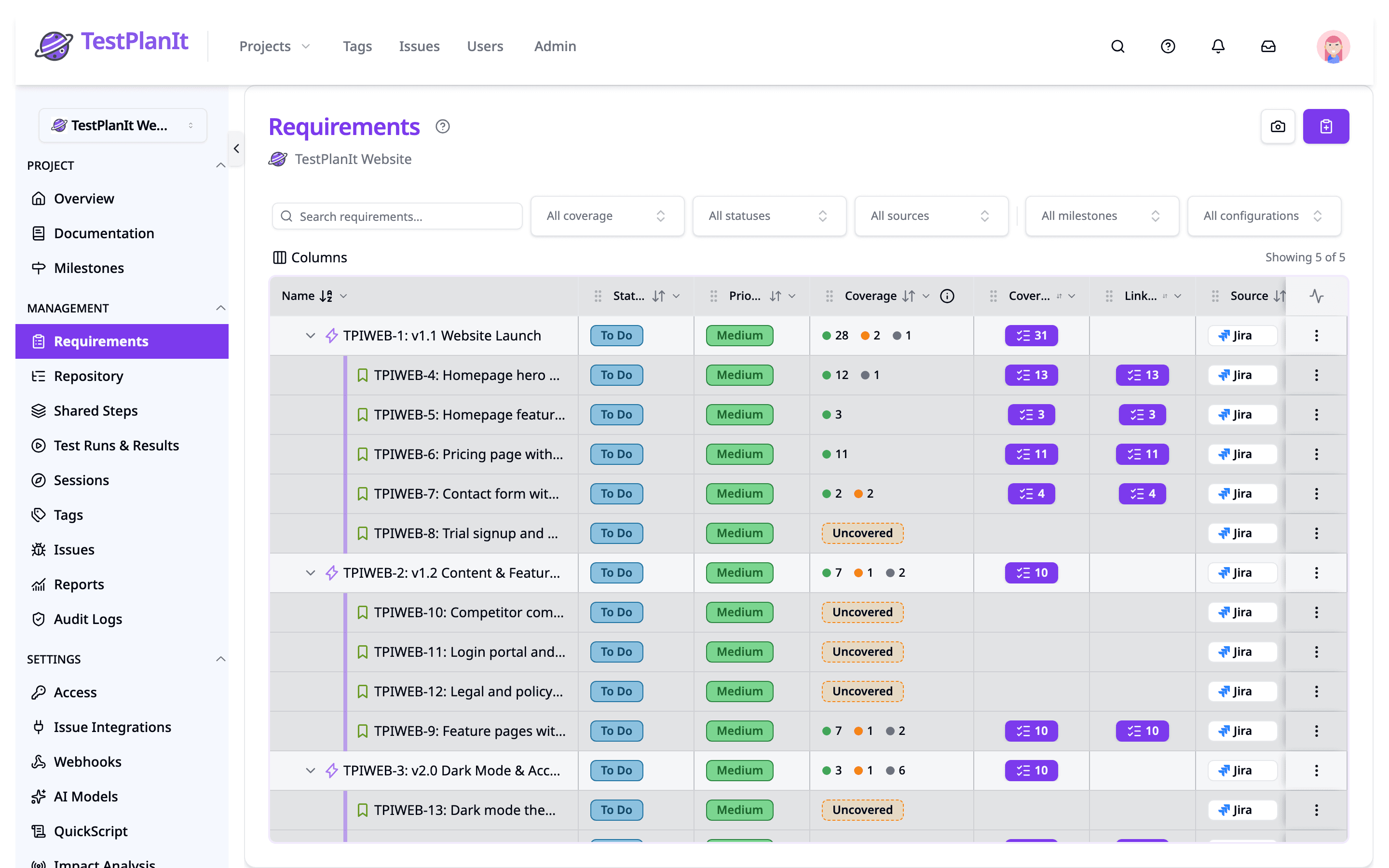
Give every project a tree of what the system should do, link test cases to it from either side, and see coverage roll up from real results. Author requirements natively or mirror them — hierarchy included — from the tracker your team already uses.
- Requirements tree nested to any depth, with drag-and-drop reorganizing, rich-text documentation, and attachments
- Synced from Jira, Azure DevOps, GitLab, Redmine, and MantisBT by issue type, or GitHub and Gitea by label — with Manual, Synced, and Detached provenance
- Coverage rollups through the whole subtree: Passed, Failed, Not run, or Uncovered, scoped to a milestone or configuration
- Suspect flags when a requirement changes after its linked case last ran — cleared automatically on re-execution
- Traceability snapshots freeze the requirement–case–result matrix for release sign-off
- Requirement Traceability, Coverage Gaps, and Coverage Changes reports — and generate test cases straight from a gap
- Versioned requirement content with per-field diffs
Impact Analysis
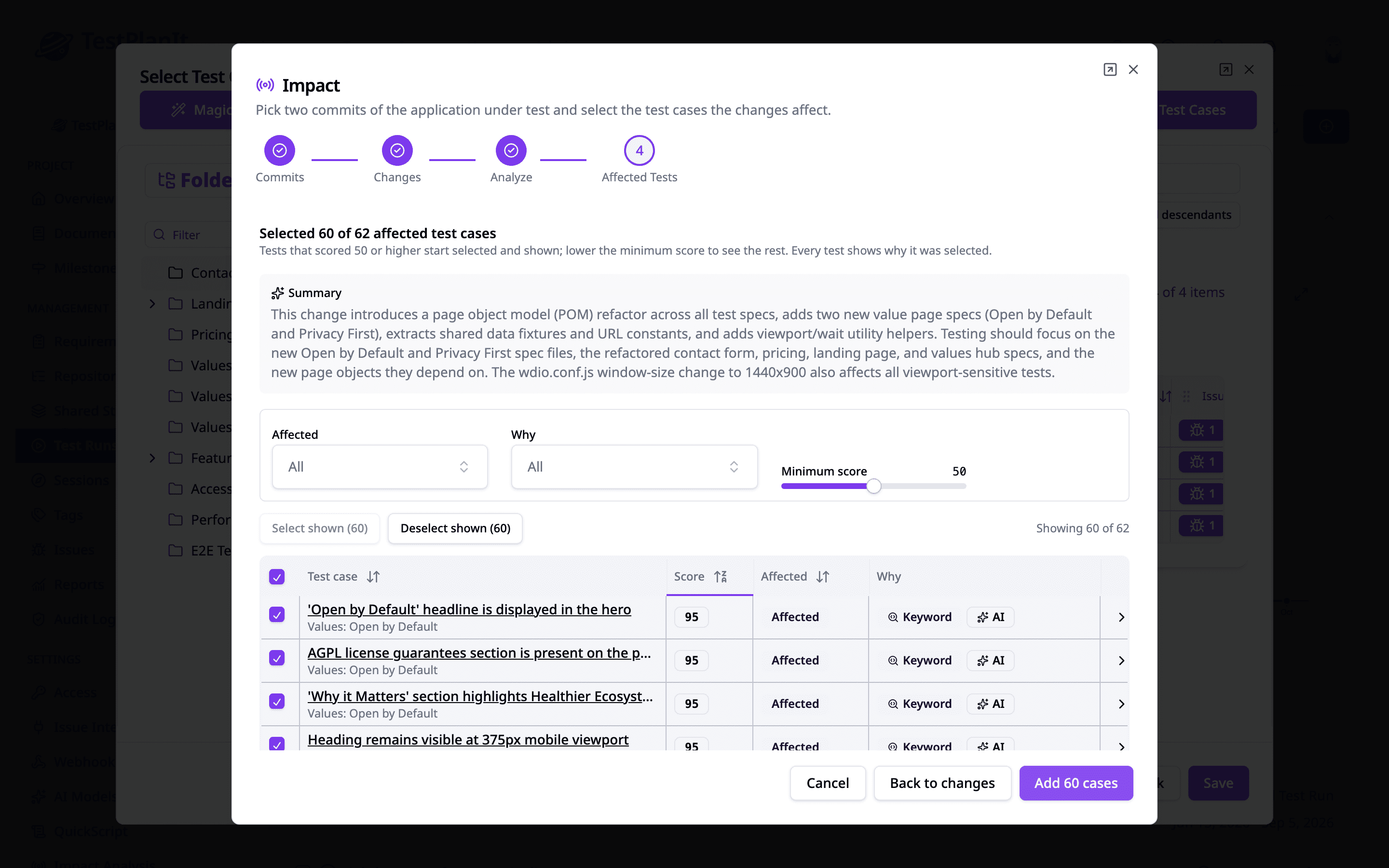
Test what changed, not everything. Connect the repository of the application under test, pick two commits or a pull request, and TestPlanIt shortlists the affected tests right where you compose the run — from the git diff alone.
- Works with GitHub, GitLab, Bitbucket, Azure DevOps, and Gitea — no coverage agent, build step, or instrumentation
- Code Pins tie a test case to a file, line range, symbol, or glob — added on the case or declared in the repository with an @testplanit annotation
- Commits that name a ticket (PROJ-123, #42) select every case linked to it
- Every selection explains itself with Pin, Ticket, Keyword, History, and AI reasons and a score
- Pull request mode measures from the merge base, so the diff shows only what the pull request changed
- Connect as many repositories as the application has — a project spanning several services analyzes each of them
- Repository webhooks analyze a pull request or push and compose the test run for you
- Impact Analysis History and Code Pin Coverage reports
QuickScript: Manual to Automation in Seconds
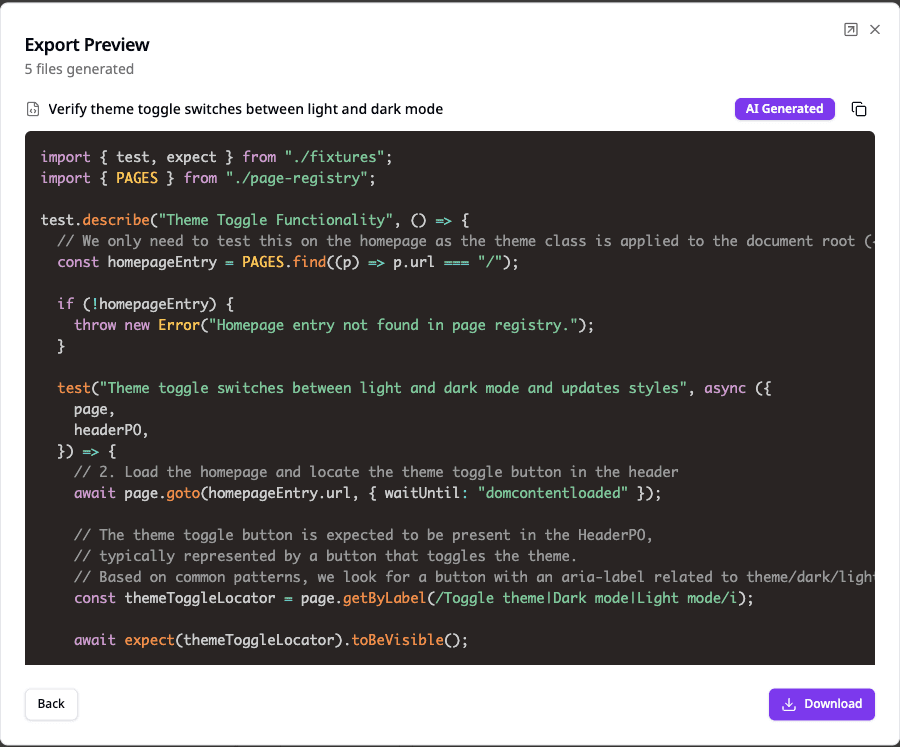
Convert manual test cases into executable automation scripts. Select your cases, pick a framework, and export ready-to-run code for Playwright, Cypress, Selenium, pytest, Jest, and more.
- Three levels: Template-only, AI-enhanced, and repository-connected generation
- 40+ built-in templates across Browser E2E, Unit Testing, and API Testing
- AI generates complete test files with real assertions and framework best practices
- Repository-connected mode references your actual page objects, helpers, and utilities
- Fully customizable: create, modify, or disable templates to match your workflow
Test Execution & Tracking
Execute test runs, track results, and monitor progress in real-time with detailed execution logs.
- Manual and automated test execution — including hybrid runs that mix both
- Live updates: results and status stream in real time (SSE)
- Magic Select: AI-powered smart test selection
- Test forecasting from historical execution data
- Custom workflows with configurable statuses
- Defect tracking integration
- Automated-run analytics: execution timeline across CI workers, per-run metrics, and within-run flaky detection
- Execution history, with abandoned automated runs closing themselves
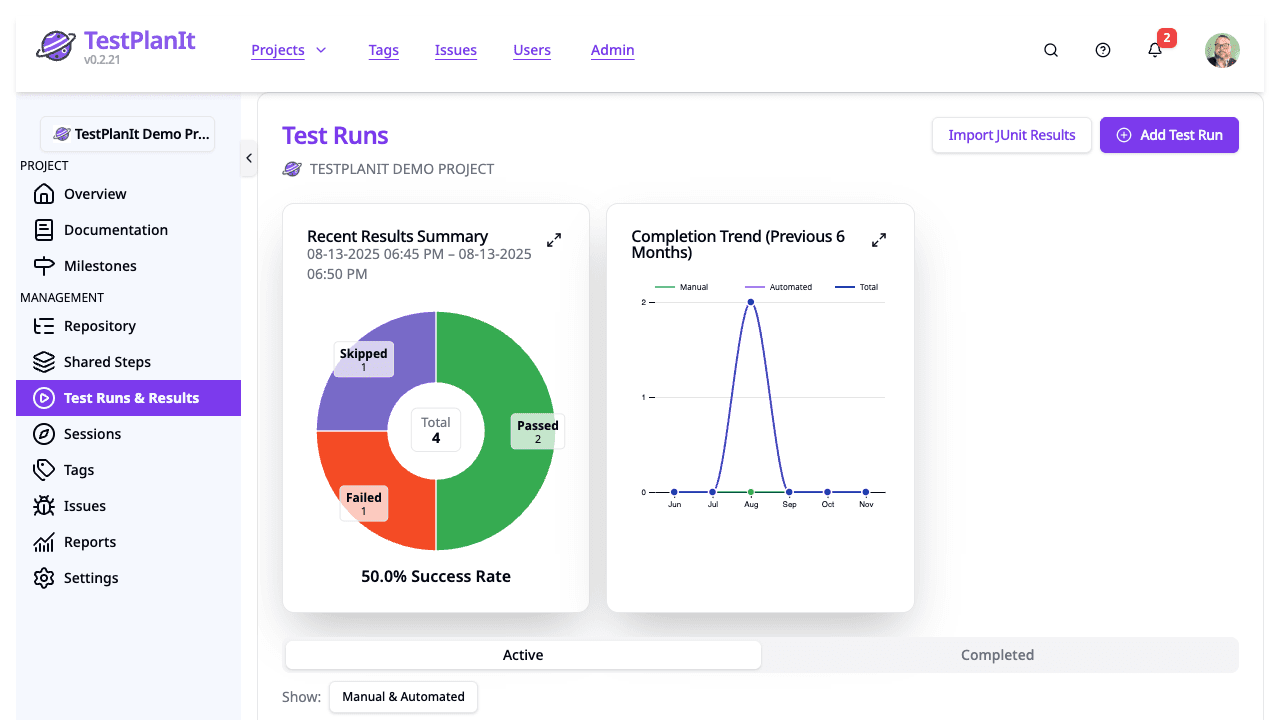
Automated Execution
A test run is no longer only where automated results end up — it is where they start. Execute the automated cases of a run in your own CI while testers pick up the manual ones, and track both in one checklist.
- Execution targets: a GitHub Actions workflow, a GitLab CI pipeline, or a signed webhook for Jenkins, Buildkite, CircleCI, Azure Pipelines, and others
- No agent to install and no framework lock-in — the job pulls its plan of cases and reports back with the reporter or CLI you already use
- Define your own parameters per target — a browser, an environment, a build number, anything your pipeline takes — and choose their values when you execute
- Hybrid runs: manual and automated results share one status per case, and the newest result wins
- Execute a whole run, just the selected cases, or a single case from its page
- Track, cancel, and retry executions from the run, with full execution history
- Its own Automated Execution permission, so editing a run doesn’t mean spending CI
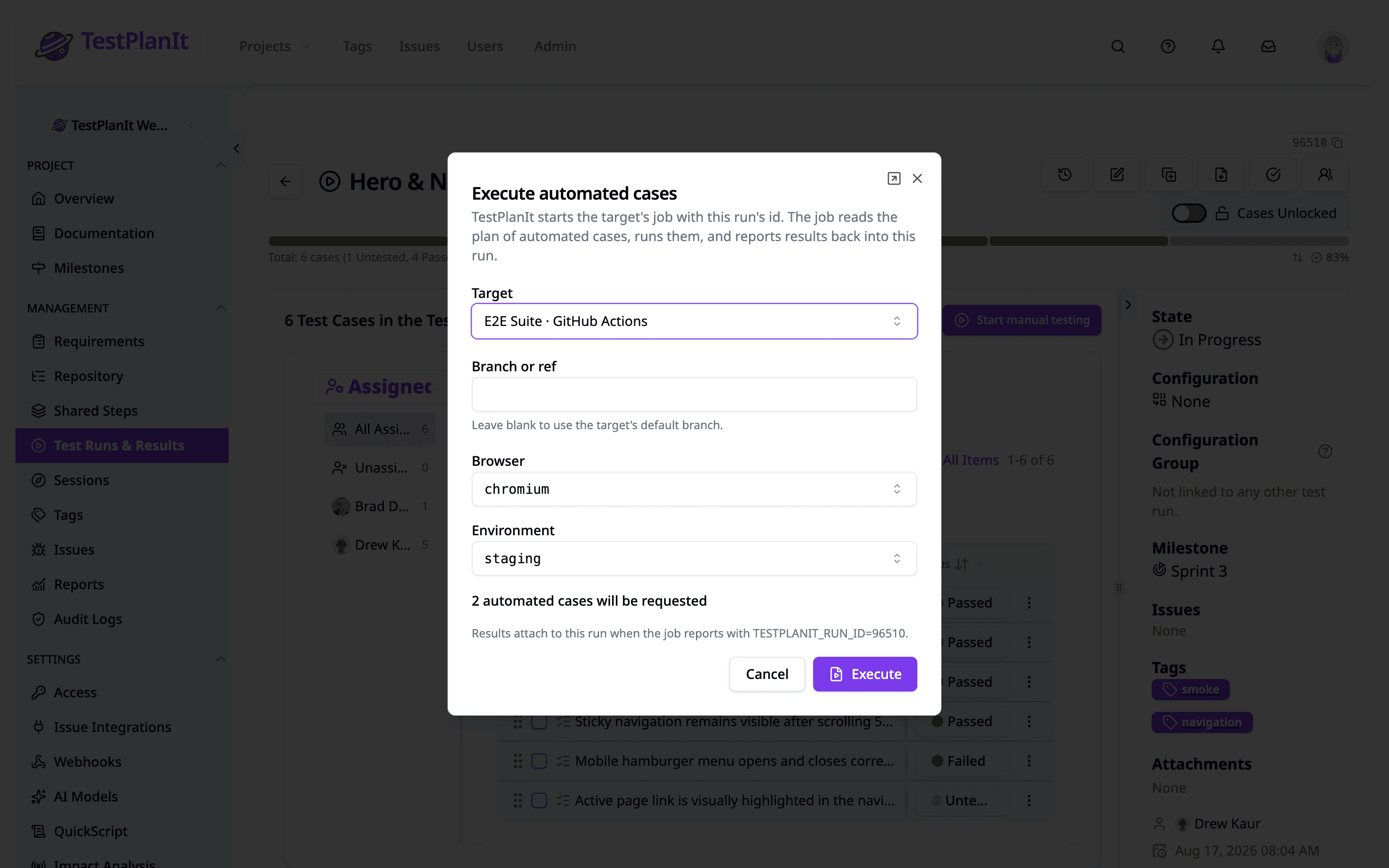
Parameterized & Data-Driven Testing
Drive a single test case from a table of input rows instead of duplicating cases. Define parameters once, then run every data combination as its own independently tracked iteration.
- Parameterized cases run as independent iterations, each with its own status, assignee, and notes
- Per-case datasets plus project-scoped shared datasets
- Version pinning: lock a run to a specific dataset version
- Parameterized Test Iteration Matrix report for per-iteration results
- AI generation can produce parameters and a starter dataset
- Configurable iteration property names for automated import
- Test-data reservation: lease dataset rows so parallel CI jobs never collide on shared fixtures
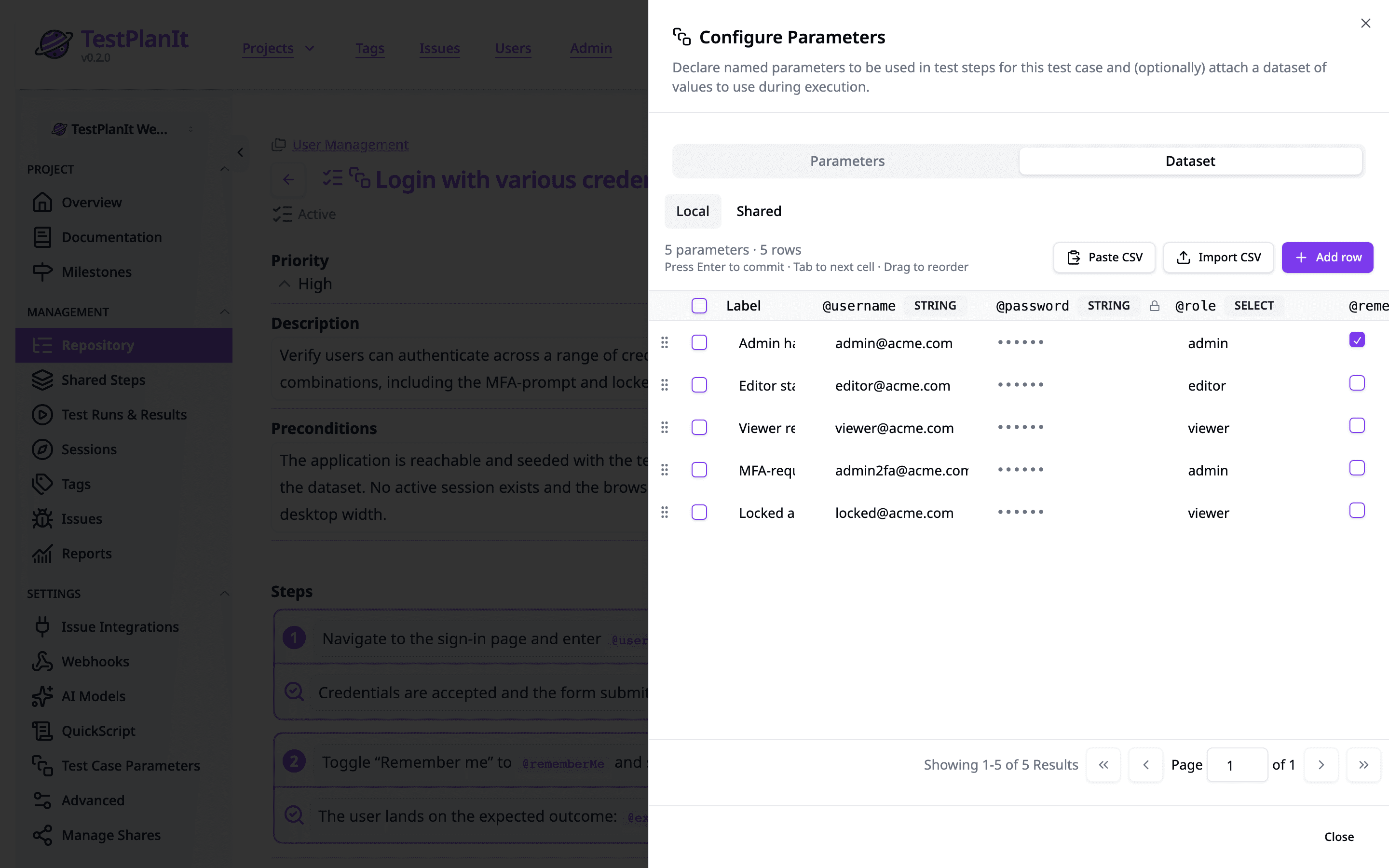
Advanced Reporting & Analytics
Generate comprehensive reports and gain insights with powerful analytics and dashboards.
- Pre-built reports: Automation Candidates, Automation Trends, Code Pin Coverage, Execution Log, Flaky Tests, Impact Analysis History, Issue Test Coverage, Milestone Readiness, Parameterized Test Iteration Matrix, Requirement Traceability, Requirement Coverage Gaps, Requirement Coverage Changes, and Test Case Health
- Automation Candidates: AI ranks which manual tests to automate next, with a one-line rationale per case
- Parameterized Test Iteration Matrix for per-iteration results
- Use our Report Builder to create custom reports
- Saved reports: reopen any report with every setting restored, with relative date ranges (Last week, Last N days) that move with the calendar
- Frozen reports: capture the numbers at sign-off so every later open shows exactly what was approved
- Share reports via public, authenticated, or password-protected links
- LLM Usage report: track AI token spend and latency by feature, model, user, and project
- Test coverage analysis
- Export to CSV
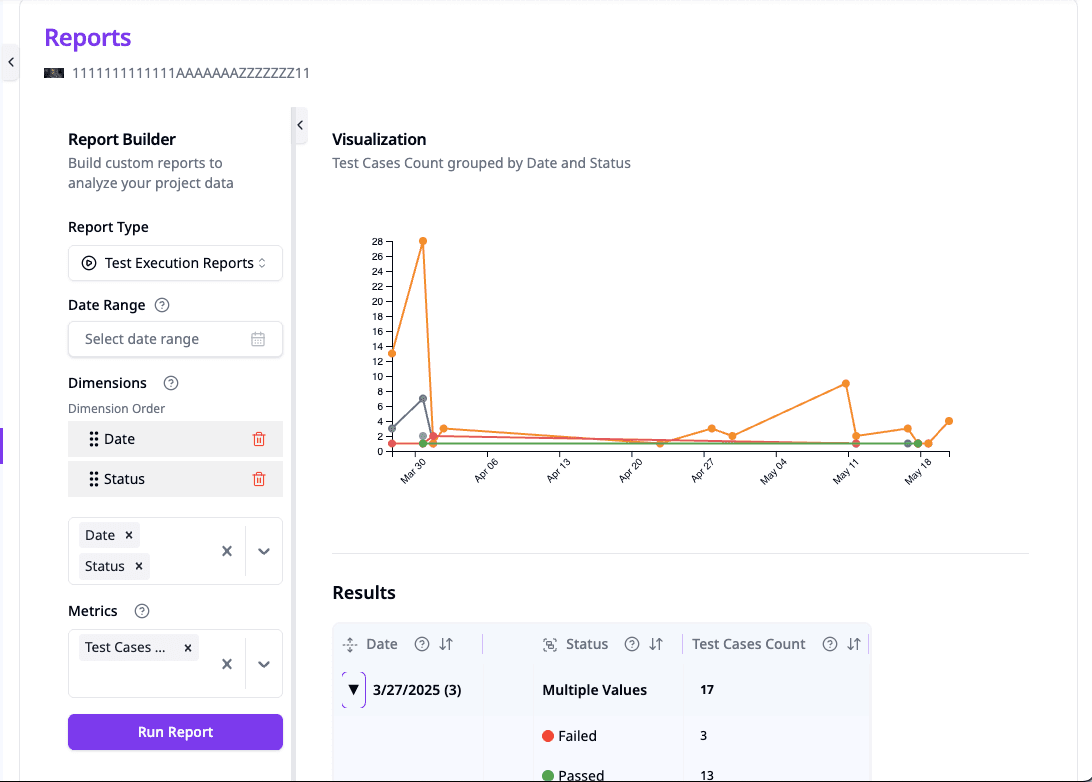
Team Collaboration
Work together seamlessly with role-based access control and real-time collaboration features.
- Role-based permissions with custom roles
- User and group management
- @mentions and comments on milestones, test cases, runs, and exploratory sessions
- In-app and email notifications
- Daily digest emails
- Link previews: TestPlanIt links unfurl in Slack, Teams, and iMessage — record details stay private unless you opt in
- System announcements
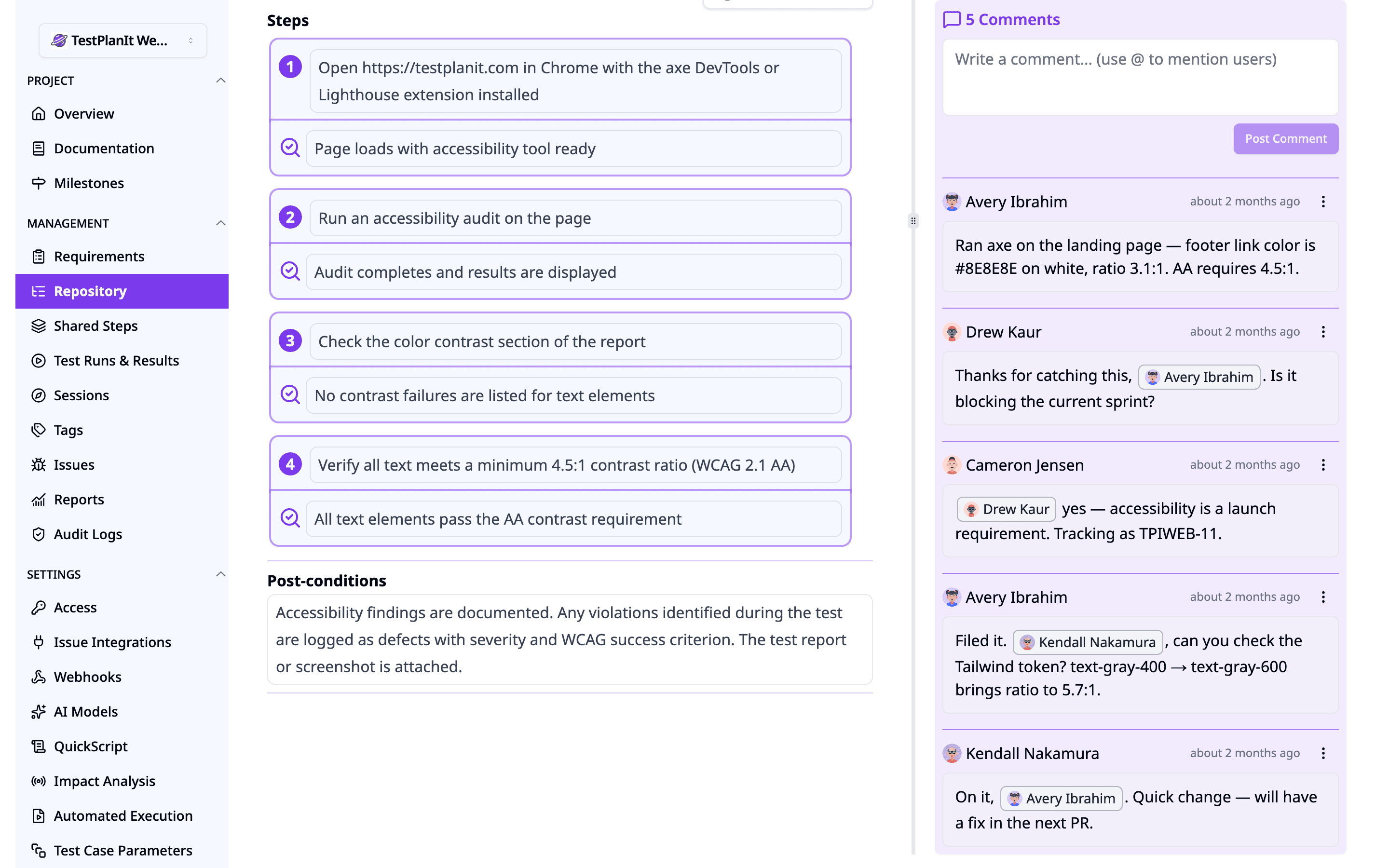
Integrations & AI
Connect with issue trackers and leverage AI with your choice of provider — including self-hosted models for complete data privacy.
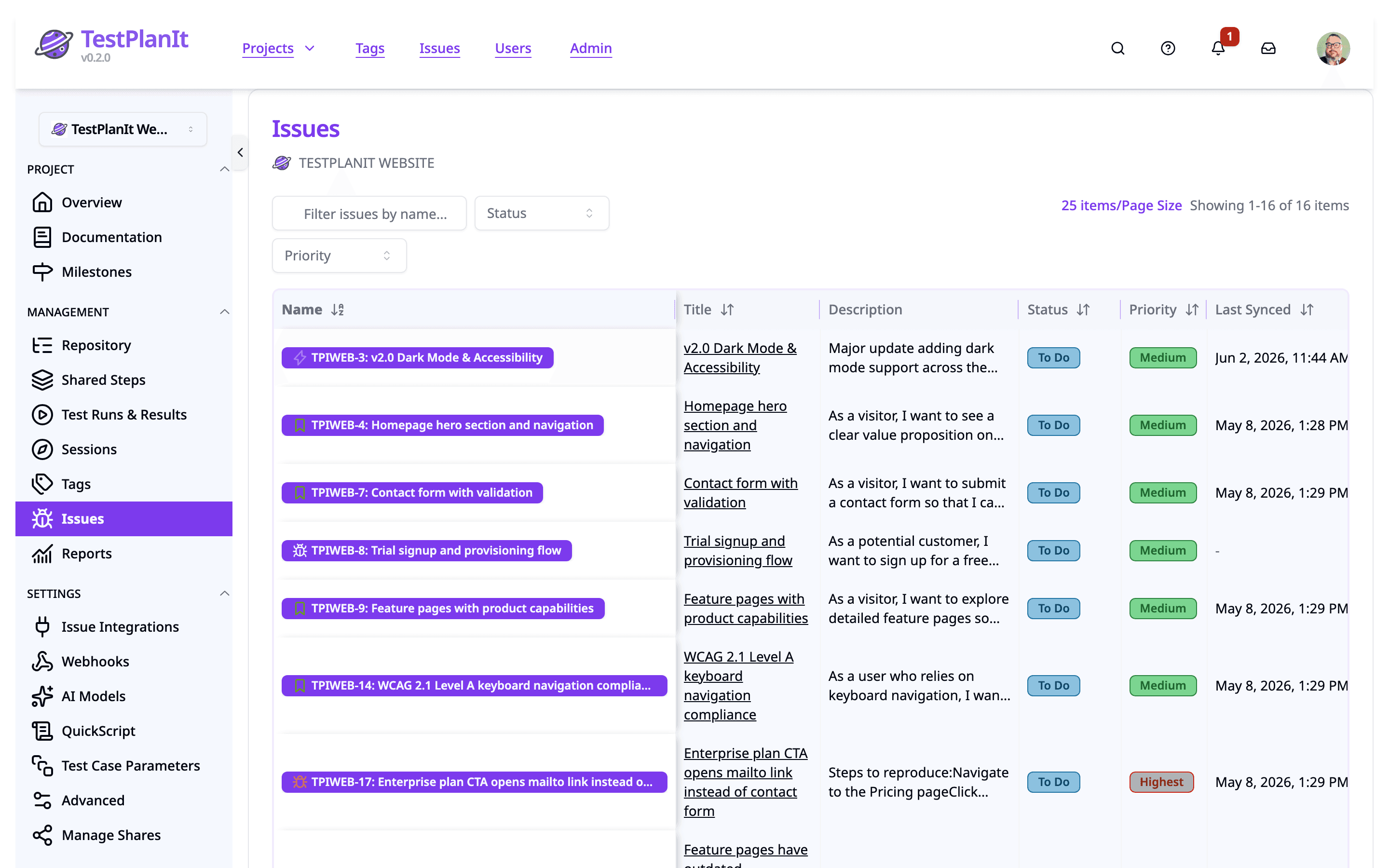
- Issue tracking: Jira, GitHub Issues, GitLab, Gitea/Forgejo/Gogs, Azure DevOps, Redmine, MantisBT, Simple URL
- OAuth 2.0 connection flow for GitHub, GitLab, and Gitea/Forgejo — plus GitHub Enterprise Server support
- Jira Forge app on the Atlassian Marketplace
- Jira milestone sync: Fix Versions and Sprints become TestPlanIt milestones with live issue membership, burndown, and release readiness
- Requirement sync: tracker issues you classify as requirements are mirrored with their hierarchy
- MCP Server: connect Claude and other AI agents to your test data via the Model Context Protocol
- AI providers: OpenAI, Claude, Gemini, DeepSeek, Ollama, Azure OpenAI, plus any OpenAI-compatible endpoint
- Configurable AI prompts per project with variable substitution
- Official Playwright and WebdriverIO reporters with real-time results
- REST API for full programmatic access
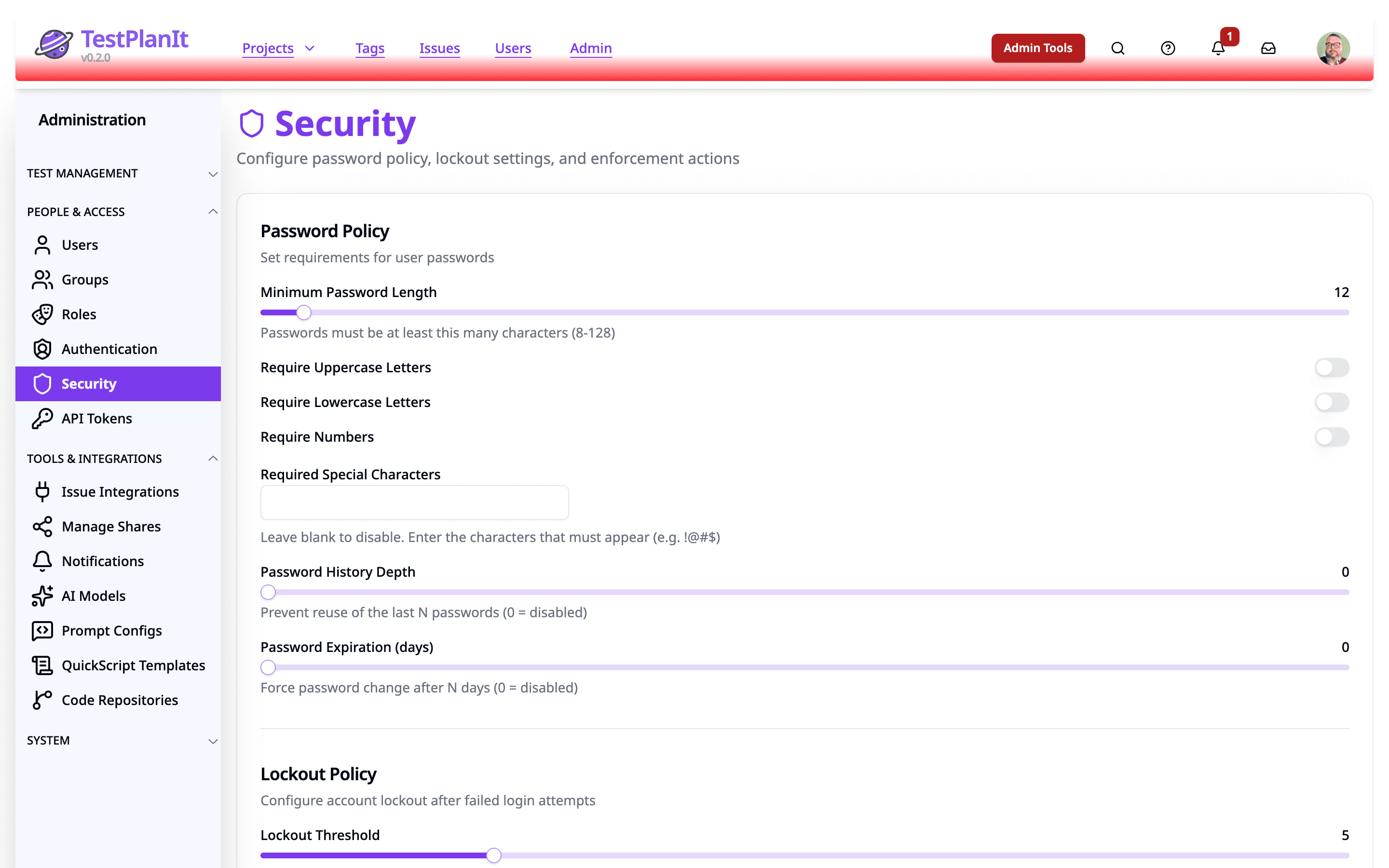
Enterprise Security
Keep your data safe with enterprise-grade security features and compliance standards.
- SSO: Google, Microsoft, Apple, SAML 2.0, Magic Link
- SCIM 2.0 provisioning: accounts created, updated, and deactivated from Okta, Entra, or OneLogin automatically
- Several identity providers on one instance, SCIM token rotation with an overlap window, and IdP role mapping
- Project access view: see who can open a project and which grant decided it
- Two-factor authentication (TOTP) with enforcement
- Role-based access control with custom roles
- Audit logs with before/after change tracking
- API tokens with optional expiration
- Data encryption at rest and in transit
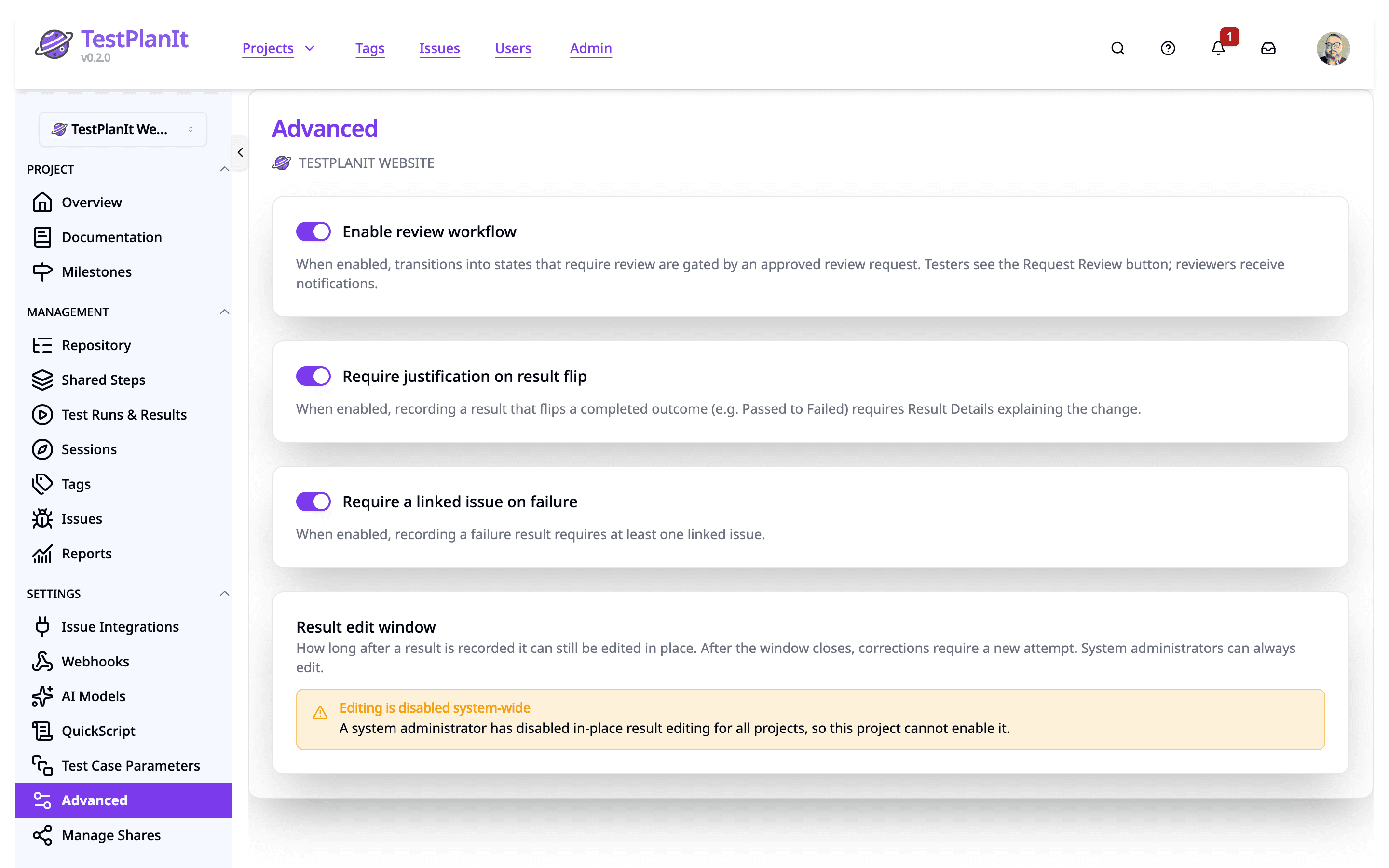
Review, Approval & Governance
Add server-enforced quality gates to your process. Request review on cases, runs, and sessions, and govern exactly how results get recorded — all configurable per project.
- Review & approval workflows: request review, then approve, request changes, or reject
- Reviewer inbox with pending counts — including the requests you sent, with reminders
- Require specific fields on result submission and enforce a result edit window
- Require justification when flipping a result (e.g. pass → fail)
- Optionally require a linked issue on failed results
- Composition lock: freeze a run’s case list the moment execution starts — manually or automatically per project
- Completed test runs are locked — structurally immutable to preserve history
CLI & CI/CD Automation
Integrate TestPlanIt into any CI/CD pipeline with our standalone CLI tool. Prebuilt binaries for Linux, macOS, and Windows — no Node.js required.
- Supports 7 formats: JUnit, TestNG, xUnit, NUnit, MSTest, Mocha, Cucumber
- Auto-detects test result format
- Works with GitHub Actions, GitLab CI, Jenkins, Azure Pipelines, CircleCI
- Start those pipelines from a test run with Automated Execution, or let a pull request trigger an Impact Analysis
- Official Playwright and WebdriverIO reporters with automatic screenshot, video, and trace uploads
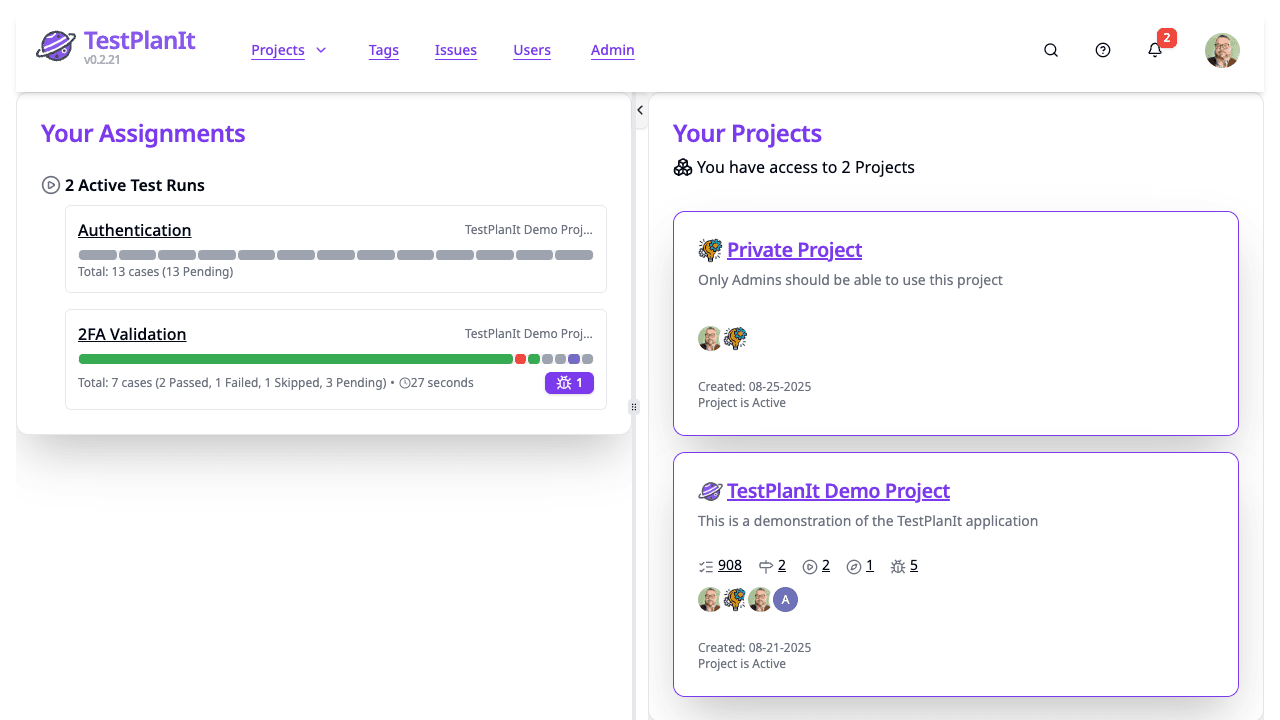
Import & Export
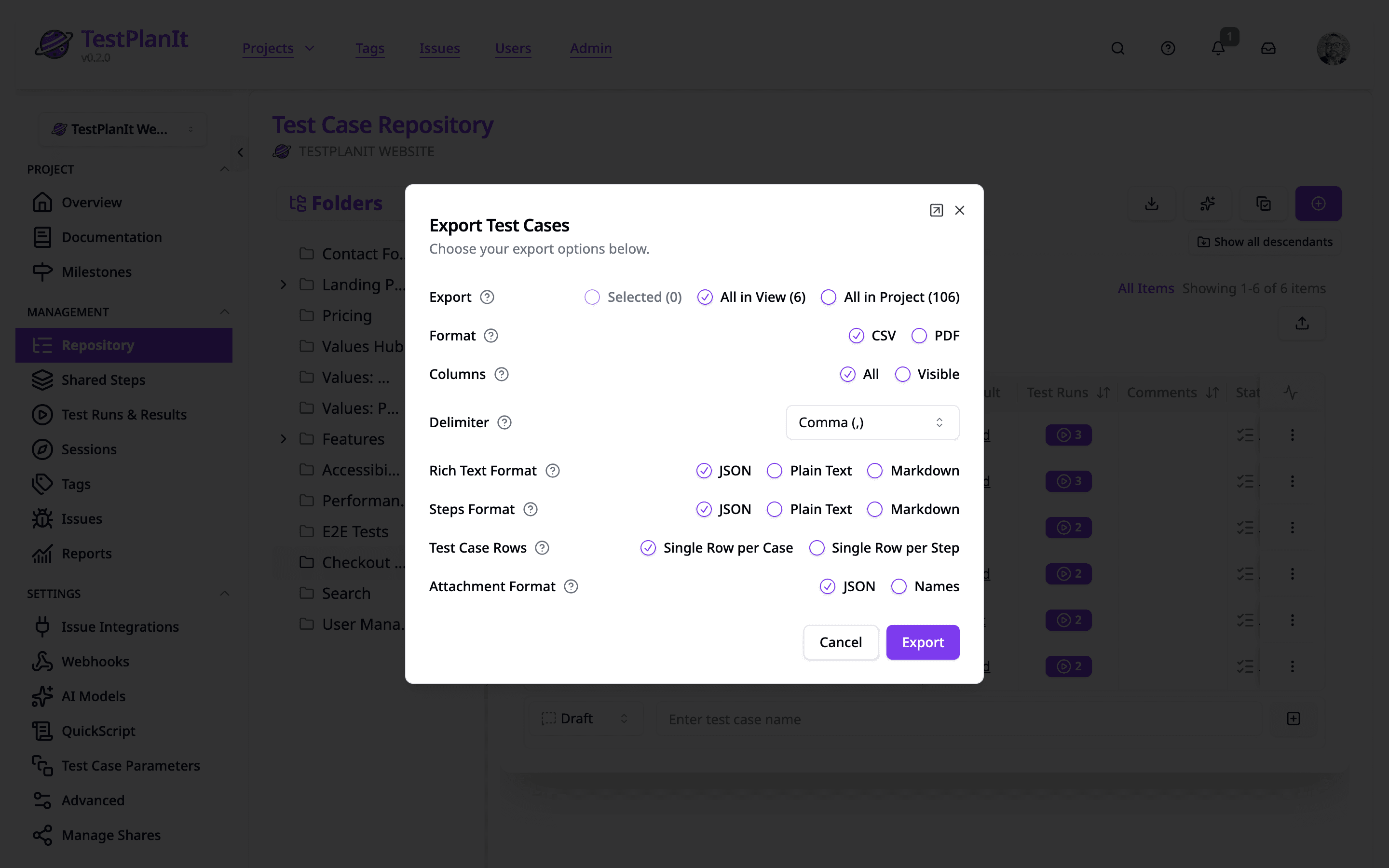
Bring your data from anywhere. TestPlanIt supports multiple import formats and makes migration from other tools painless.
- CSV import/export with automatic field mapping — save a column mapping once and reuse it
- Link issues on import by ticket key (PROJ-123) — no need to open each ticket first
- Markdown import with AI-powered parsing
- Drag-and-drop file upload
- One-click migration from Testmo
- Automated test result import from 7 formats
- Data Lake export: incremental NDJSON endpoints for analytics pipelines
- PDF export for test runs (with full step-level detail) and milestones
- Documented Webhook Event Catalog for outbound integrations
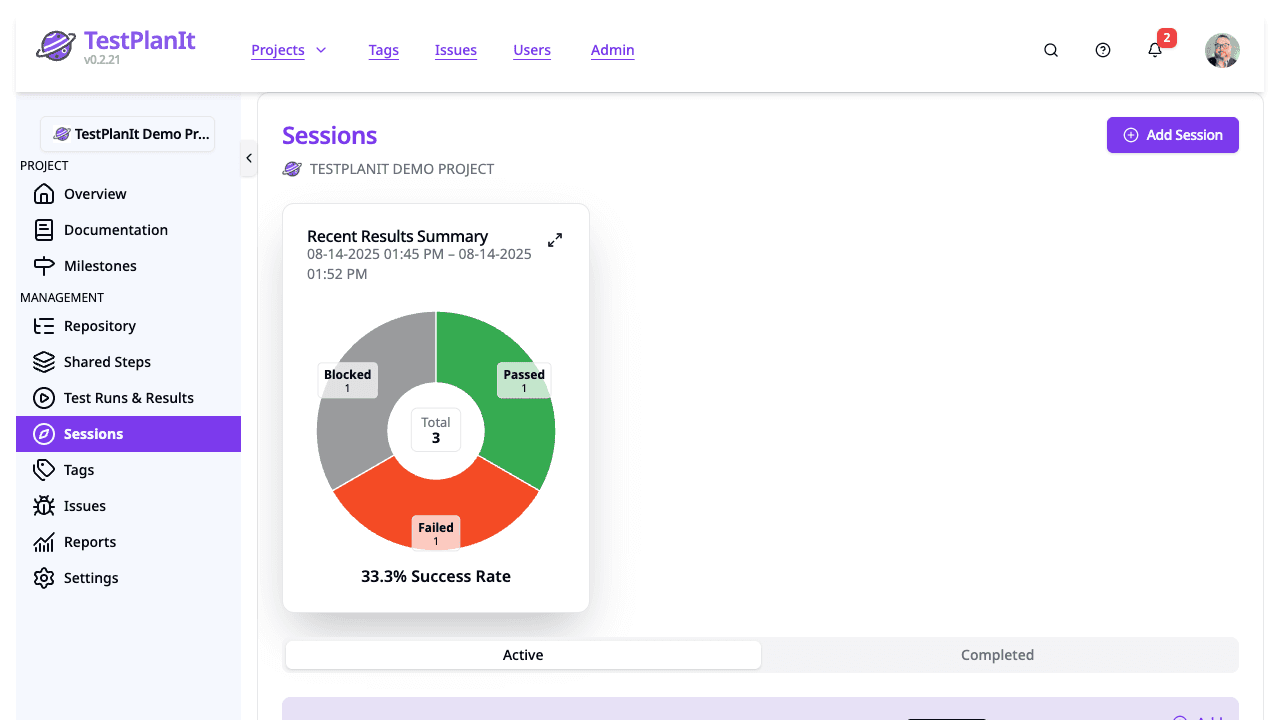
Exploratory Testing
Run session-based exploratory testing alongside your structured test plans. Capture findings as you go with built-in timer, notes, and issue linking.
- Charter-driven sessions with timer
- Real-time notes and issue capture
- Session reports and version tracking
- First-class feature alongside structured testing
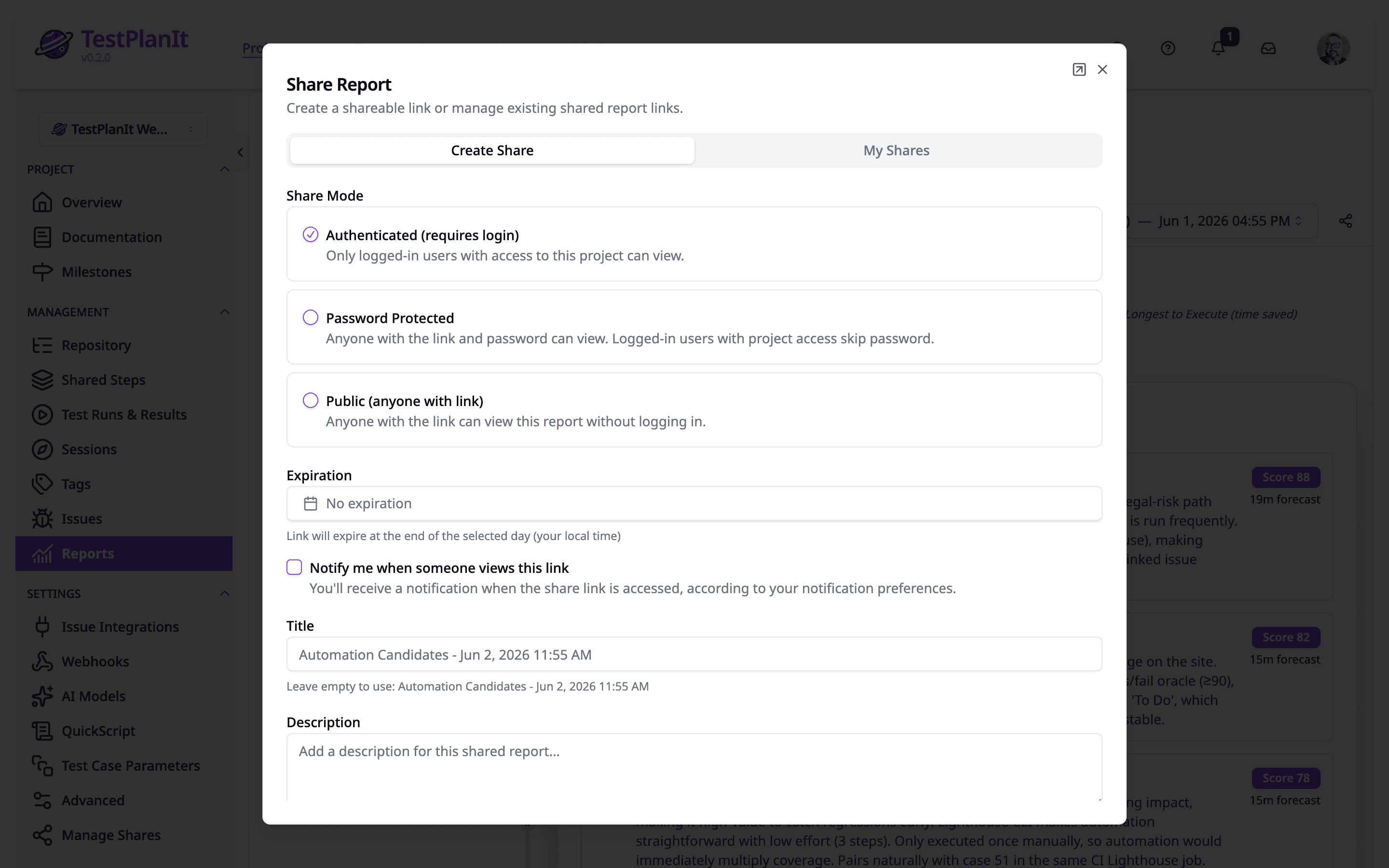
Share Links
Share reports with anyone — inside or outside your organization — with granular access controls.
- Three access modes: authenticated, public, and password-protected
- Live or frozen: share current data, or the exact numbers captured when you shared
- Built-in view analytics and access logs
- Configurable expiration dates
- Rate-limited password attempts for security
Everything Else You Need
Plus all the essentials for a complete test management platform.
- Full-Text Search (Elasticsearch)
- Version History
- Custom Workflows
- Multi-Language (17 languages, RTL)
- Demo Project & Guided Tour
- Test Forecasting
- Custom Fields & Templates
- Keyboard Shortcuts
- Dark Mode (WCAG AA)
- SSO / SAML / SCIM / 2FA
- Docker & Kubernetes (Helm)
- REST API
- Record Keys (PROJ-TC-123)
- Auto-Save & Draft Recovery
Ready to get started?
TestPlanIt is open-source and free to self-host.
Get started in minutes with full access to all features.